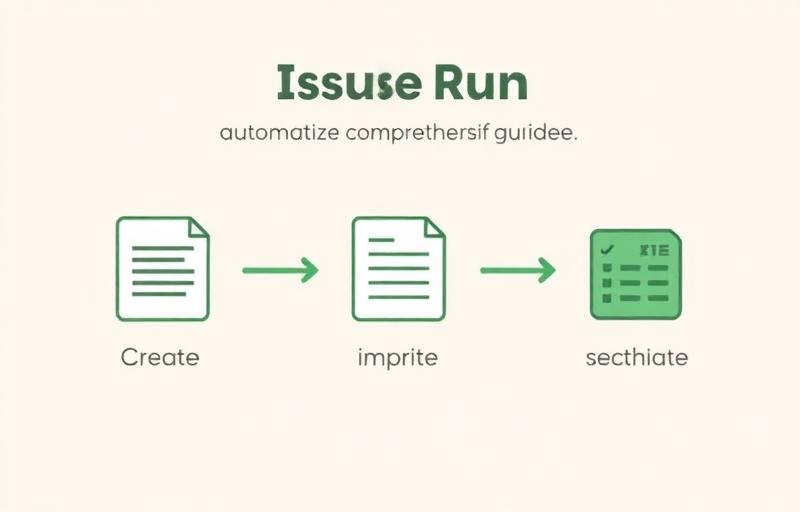
Automate Your Issue Management with Issue Run: A Practical Guide to Create, Rewrite, and Close
Introduction
Managing GitHub issues comes with three distinct burdens:
- The creation burden — You spot problems in the code but never find time to write them up as issues
- The quality burden — Issues are written inconsistently, making it hard for assignees to understand what's actually needed
- The cleanup burden — Old issues pile up, burying the ones that truly need attention
DevLoop Runner's Issue Run automates all three. With three specialized modes for creating, improving, and cleaning up issues, it covers the entire issue lifecycle.
This article shows you how to combine all three modes into a practical, repeatable workflow.
What Is Issue Run: Three Modes for the Full Issue Lifecycle
Issue Run is DevLoop Runner's automated issue management feature. It consists of three modes:
| Mode | Role | Detailed Guide |
|---|---|---|
| Create Issue | Analyzes your repository and creates issues for improvements | Create Issue Guide |
| Rewrite Issue | Rewrites existing issues to improve clarity and structure | Rewrite Issue Guide |
| Close Issue | Analyzes stale issues and closes them automatically | Close Issue Guide |
While Dev Run handles the "Issue to PR" workflow for implementation, Issue Run manages what comes before and after. Creating issues, polishing them, and cleaning up old ones—by automating these tasks, developers can focus on implementation and decision-making.
The Issue Lifecycle and Each Mode's Role
Issues follow a natural lifecycle: they're created, worked on, and eventually become obsolete. Issue Run's three modes map directly to this cycle.
Loading diagram...
- Create Issue handles the beginning of the lifecycle. AI analyzes your codebase and creates issues for bugs, refactoring candidates, and feature suggestions
- Rewrite Issue handles quality improvement. It restructures vague descriptions into clear, actionable issues
- Close Issue handles the end of the lifecycle. AI analyzes inactive issues and automatically closes the ones that are no longer relevant
Running this cycle continuously keeps your repository's issues organized and up to date.
Practical Workflow: Combining All Three Modes
Here's how to use the three modes together in a concrete workflow.
Step 1: Detect Improvements with Create Issue
Start by scanning your repository for issues that need attention.
- Go to the Run page and select the "Issue Run" tab
- Choose Create Issue
- Enter the repository (
owner/repo) - Select a category (Bug / Refactor / Enhancement)
- Set the generation limit (start with 3)
- Run
The AI analyzes your codebase and creates GitHub issues for the problems it finds. Run it multiple times with different categories to cover bugs, refactoring opportunities, and feature improvements comprehensively.
Step 2: Improve Quality with Rewrite Issue
Next, use Rewrite Issue to polish both AI-generated and manually written issues.
- Go to the Run page and select the "Issue Run" tab
- Choose Rewrite Issue
- Paste the URL of the issue you want to improve
- Run
The AI reads the issue content and restructures it with reproduction steps, expected behavior, and environment details. This is especially effective for external bug reports and quickly-written issues.
Step 3: Clean Up with Close Issue
Finally, use Close Issue to clear out old, resolved, or irrelevant issues.
- Go to the Run page and select the "Issue Run" tab
- Choose Close Issue
- Enter the repository (
owner/repo) - Set the inspection limit (10–20 issues)
- Set the days threshold (e.g., 90 days)
- Set exclude labels (e.g.,
pinned, in-progress) - Run
The AI analyzes each issue and closes them with confidence scores and reasoning. Review the results on the job detail page to verify the decisions.
Running the Cycle: A Sample Schedule
Run all three modes on a regular schedule to keep issue management overhead low.
| Timing | Action | Purpose |
|---|---|---|
| Every Monday | Create Issue (Bug, 3 issues) | Early detection of potential bugs |
| Every Wednesday | Rewrite Issue (2–3 recent issues) | Continuous issue quality improvement |
| 1st of each month | Create Issue (Refactor, 3 issues) | Visualize technical debt |
| 1st of each month | Close Issue (90+ days, inspect 20) | Clean up stale issues |
This is just a sample—adjust the schedule to match your project's pace and scale.
Usage Patterns by Team Size
Solo Developers: Weekly Cleanup
When you're both the writer and the assignee, issue quality tends to slip.
Recommended approach:
- Run Create Issue (Bug) weekly to catch problems you've overlooked
- Run Close Issue monthly to clear out abandoned issues
- Use Rewrite Issue as needed
Let AI handle issue creation and cleanup so you can focus on coding and decision-making.
Small Teams (2–5 people): Integrate with Sprint Cycles
In team settings, inconsistent issue writing is a common pain point. Rewrite Issue is especially valuable here.
Recommended approach:
- Run Create Issue before sprint planning to populate the backlog with candidates
- Run Rewrite Issue on new issues to standardize quality
- Run Close Issue at sprint end to clear out completed and irrelevant issues
Integrating with your sprint rhythm keeps issue quality and freshness on autopilot.
Large Teams (10+ people): Governance Tool
Large projects can accumulate hundreds of open issues, making manual management impractical.
Recommended approach:
- Run Create Issue (all categories) regularly to monitor overall project health
- Run Close Issue monthly with exclude labels to protect important issues while trimming the backlog
- Run Rewrite Issue to standardize issue descriptions across the entire team
Position Issue Run as a governance tool to improve project transparency and management efficiency.
Issue Run + Dev Run: From Discovery to Implementation
Combine Issue Run with Dev Run to automate the entire pipeline from issue discovery to implementation.
Loading diagram...
A concrete scenario:
- Create Issue analyzes the repository → 3 issues created for unhandled edge cases
- Rewrite Issue improves each issue → Reproduction steps and expected behavior are now clear
- Dev Run implements each issue → 3 PRs with tests are created
- Review & merge → Code quality improves
- Close Issue cleans up resolved old issues → Backlog is clean
The only human step is "Review & Merge." Everything else—from discovery to cleanup—is automated.
Getting Started
Start with One Mode
You don't need to use all three modes at once. Start with the one that addresses your biggest pain point.
| Pain Point | Start With |
|---|---|
| "I don't know what to improve" | Create Issue |
| "Our issues are inconsistently written" | Rewrite Issue |
| "Old issues keep piling up" | Close Issue |
Once you see results from one mode, add the next.
Scale to All Three Modes
After getting comfortable with individual modes, build toward a regular combined workflow.
- Week 1: Try the mode that addresses your biggest need
- Weeks 2–3: Add a second mode
- After 1 month: Run all three modes on a regular schedule
Gradual adoption lets you build confidence without disrupting your existing workflow.
Summary
- Issue Run automates the full issue lifecycle with three modes: Create, Rewrite, and Close
- Create Issue finds problems, Rewrite Issue improves quality, Close Issue cleans up stale issues
- Running all three on a regular schedule keeps your repository's issues consistently organized
- Combined with Dev Run, you can automate everything from issue discovery to implementation
- Start with one mode and gradually scale to a full three-mode workflow
Let AI handle issue creation, improvement, and cleanup—so you can focus on coding and making decisions.
For detailed instructions on each mode, see the individual guide articles:
Get Started with DevLoop Runner
Auto-generate PRs from GitHub Issues. Let AI accelerate your development.